
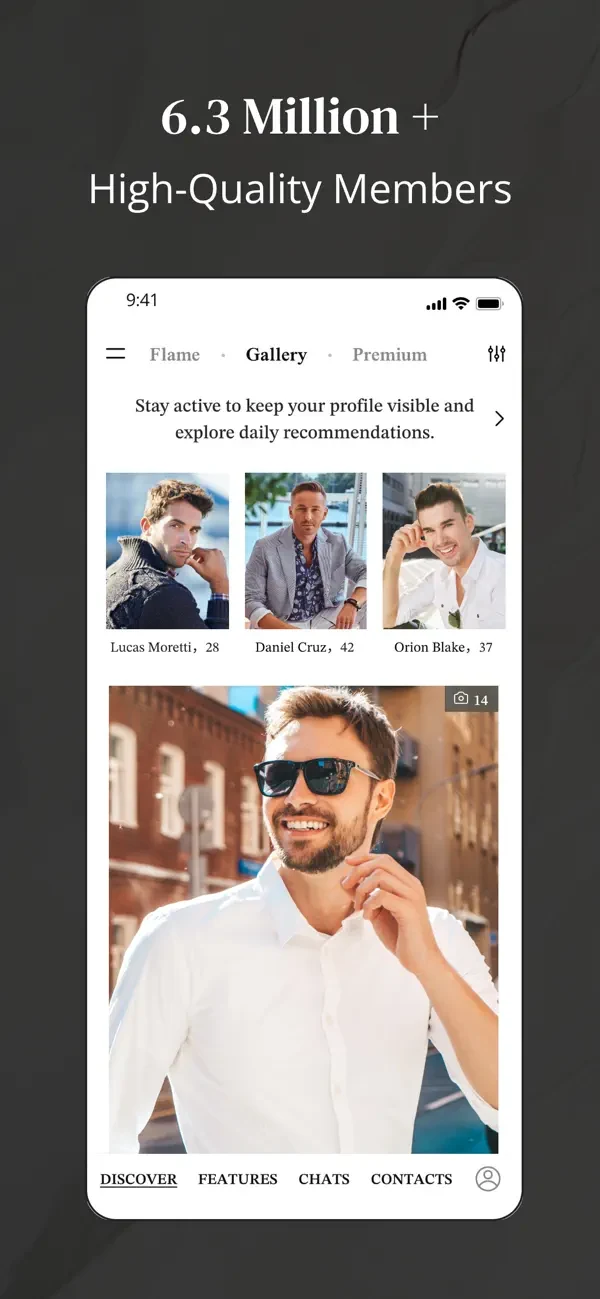
Gallery: Discover Through Preferences
The official FAQ describes Gallery as a way to search using preferences. It gives a more deliberate starting point than making a decision from a photograph alone. You can think about the characteristics that make a meeting realistic, including geography, while remaining open to people whose biographies do not mirror your own exactly.
Begin with the criteria that affect an actual relationship. A workable area and compatible life stage may matter more than a long set of narrow preferences. If you change the search, adjust one important element at a time so that you understand its effect. More filters do not automatically produce a more compatible person.
Read the profile after the search returns an interesting result. A criterion is only an introduction to information supplied in the account. It does not verify every statement or explain how someone behaves in a relationship. The France directory can help you consider the geographic side before you decide whether a particular location fits your life.
Flame: A Visual Starting Point
Flame presents photographs to like or pass, according to the official help. This can make initial discovery quick and intuitive. It is useful to remember what that first decision represents: an interest in learning more, not a conclusion about compatibility, trust or the person's availability for a relationship.
When a photograph catches your attention, take time to read whatever profile information is available before composing a message. Look for an interest, an intention or a detail that creates a natural question. A polished image can attract you while the written information reveals whether there is something meaningful to explore.
Your own photographs should serve the same purpose. Show your current appearance clearly and use genuine images rather than a manufactured identity. The photo guide explains how to balance elegance with recognisability. An image can open a conversation more effectively when it gives an accurate impression of the person someone may eventually meet.
Messaging: Access and Attention Both Matter
The ability to start a conversation depends on membership. The FAQ says Standard members cannot initiate new conversations, while replying to a Premium-initiated exchange is possible under stated conditions. At least one active Premium membership must remain in that exchange. Read the free-access explanation if this distinction affects your next step.
Once you can write, use the tool for a personal introduction rather than a volume exercise. Mention one detail from the profile and ask a question that is easy to answer. A long opening biography can make the recipient work to find a response, while a generic compliment may offer no subject at all.
The conversation should gradually become reciprocal. Notice whether both people contribute, ask questions and make time. Messaging tools cannot create interest that is absent. If you find yourself repeatedly pushing an unresponsive exchange, step back. A respectful pace is more valuable than treating access to a message box as an entitlement to another person's attention.
Voice and Video: Another Way to Get Acquainted
The service describes voice and video calls within its conversation environment. These may help two people experience a more immediate exchange before meeting. Availability should be understood through the current account and device, including the permissions required for the microphone or camera. Do not assume every interface presents the option in an identical place.
Suggest a time rather than making an unexpected call. A short conversation can be enough to discover whether the exchange feels comfortable in real time. Choose a setting where you can hear clearly and avoid showing private material in the background. You do not need to give a tour of your home or office.
A call is not a substitute for judgement. Seeing a person does not establish income, occupation or relationship intention. Likewise, someone may have a reasonable preference about when they are comfortable on camera. The useful question is whether communication remains clear and respectful, rather than whether a single tool can certify the whole account.
Private Albums: Control Access Thoughtfully
The FAQ describes private album access that can be granted and revoked. It also states that the main profile photo cannot be moved into the private album. This distinction matters when deciding which image should be public and which material, if any, you want to share more selectively.
Selective access does not make an image impossible to copy or record. Treat every shared photograph as something another person may be able to retain. Avoid uploading sensitive material simply because a feature has the word private in its name. Use the control to manage visibility while making a separate decision about the content itself.
If someone pressures you to grant access before you are comfortable, the presence of the feature does not oblige you to comply. You can say that you prefer to continue talking first. A person who respects your pace is giving you more useful information than a demand framed as a test of trust.
Profile Visibility: Understand the Scope of a Control
The official FAQ associates profile-hiding options with Premium access. Such controls may be useful for someone who wants to manage visibility, but the exact option and its effect should be read in the current interface. Hiding a profile is not the same as deleting the account, cancelling membership or making all previous disclosures disappear.
Before changing a setting, decide what you want it to accomplish. You may want a pause in discovery, a more limited public presence or a complete departure from the service. Those are different tasks and may require different actions. Read the explanation rather than assuming one switch covers all of them.
Our article on professional discretion adds a content-level approach. Privacy is not only a setting: it also involves the information you put in a biography, the background of a photograph and the details you share in conversation. A control is most useful when it supports those deliberate choices.
Personal Notes: Remember Without Over-Collecting
The service describes notes intended for the account holder's own use. A simple note can help you remember that a conversation concerned an interest or that you agreed to speak after a trip. Used carefully, organisation can preserve attention and reduce the chance of mixing up personal details from different exchanges.
Keep notes proportionate. You do not need to build a dossier of sensitive information, assign people financial scores or record details they did not intend as lasting records. The point is to support a thoughtful conversation, not turn a person into a set of searchable attributes.
If you no longer need a detail, consider whether it belongs in your records at all. More information is not automatically better understanding. The quality of a conversation is visible in how you listen and respond, not in how much you can store. A small reminder should help you remain present rather than replace personal attention.
Verification Markers: Read What Was Checked
Photo verification has a defined scope. The official FAQ says it concerns the correspondence between the person using an account and the submitted images. It does not verify income, occupation, intentions or criminal history. A paid membership is a different status again and should not be interpreted as personal certification.
| Feature or Status | Useful Meaning | Do Not Automatically Infer |
|---|---|---|
| Photo verification | A stated visual identity check | Validation of every profile claim |
| Paid membership | Access under a purchased plan | Honesty, compatibility or generosity |
| Private album access | Selective sharing within the product | Inability to copy an image |
| Voice or video call | A live conversation opportunity | Proof of profession or intention |
The article on profile verification examines these distinctions through practical situations. Use a badge as one piece of information, then pay attention to consistency, boundaries and ordinary behaviour. No marker should override a request for money, an implausible story or pressure to ignore your comfort.
Build a Useful Combination Instead of Using Everything
You do not have to adopt every feature at once. A clear profile, a realistic search and a thoughtful message may be the right starting combination. Add another tool when it answers a specific need, such as moving to a short call or managing visibility during a pause.
If a desired function requires payment, compare the offer with your intended use and read the renewal conditions. Our membership guide separates platform names, price examples and billing channels. A feature is valuable when it supports a decision you understand, not merely because it appears in a long list of benefits.
Product source consulted 26 September 2026: official MillionaireMatch FAQ. Interface placement and plan availability may change.